GBP Audit & Optimisation
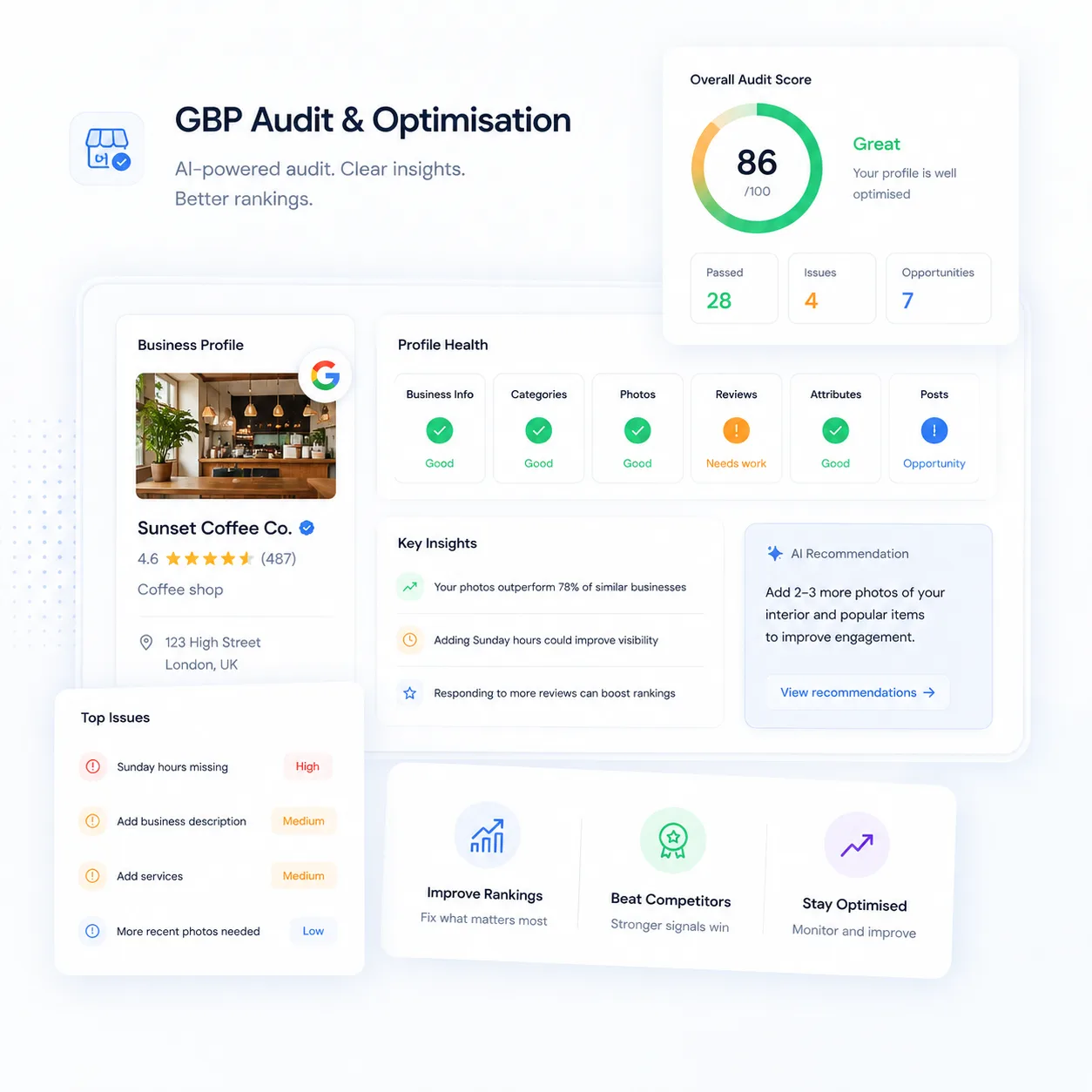
Audit your Google Business Profile against 30+ scored ranking signals on every run. Each audit returns a normalised score, a reviewed business description, a competitor benchmark, and a prioritised fix list — so you spend time on the changes that actually move rankings.
Google Business Profile Manager
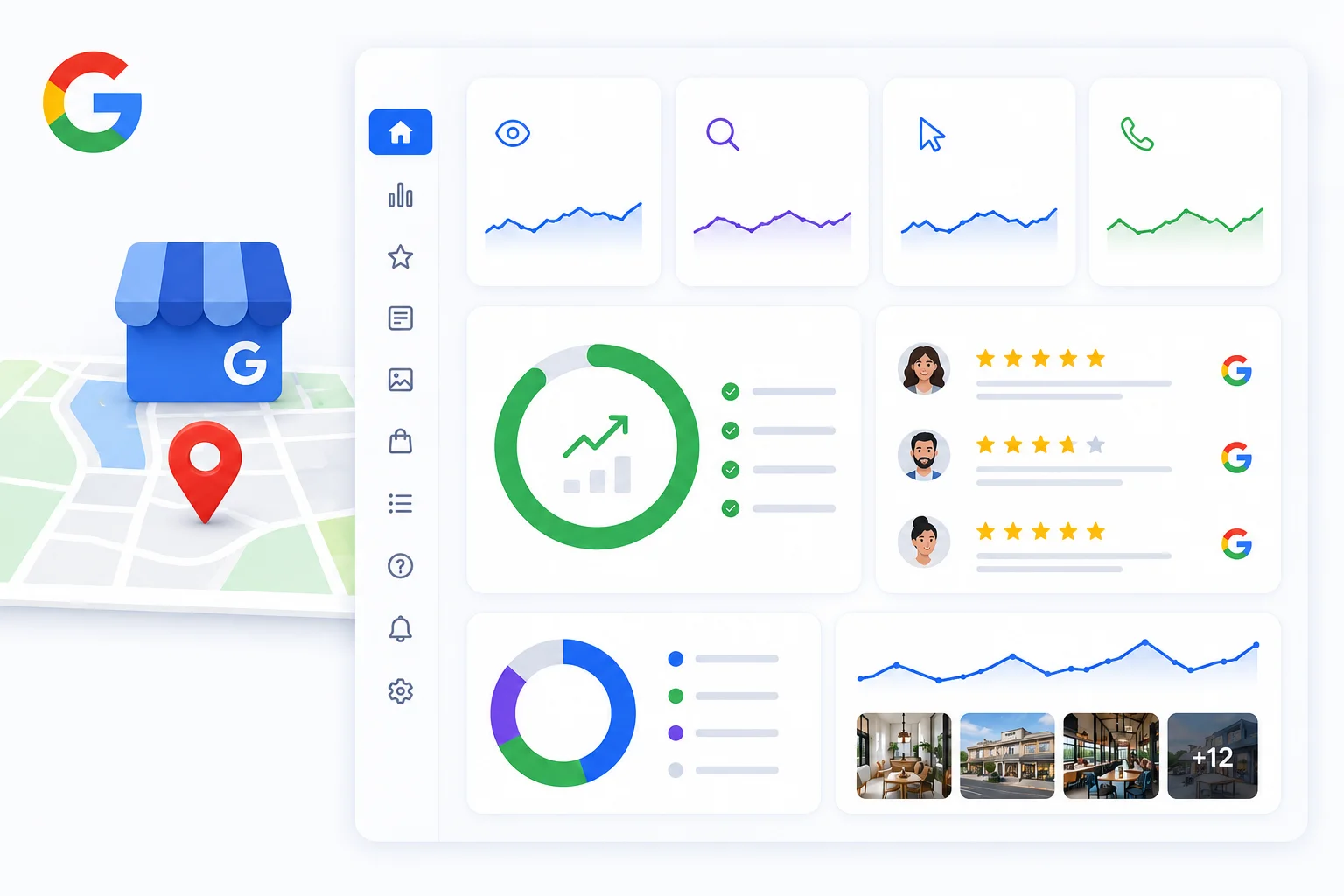
Connect, manage and analyse your Google Business Profile
Connect your GBP in a few clicks and manage everything from one dashboard. Publish posts, reply to reviews, track calls, clicks and direction requests — and see exactly how your profile performance changes after every optimisation you make.
Why it's different
Built for the way local SEO actually works
30+ scored signals
Profile basics, categories, photos, reviews, hours, attributes, posts, and Q&A. Each signal carries a documented point value.
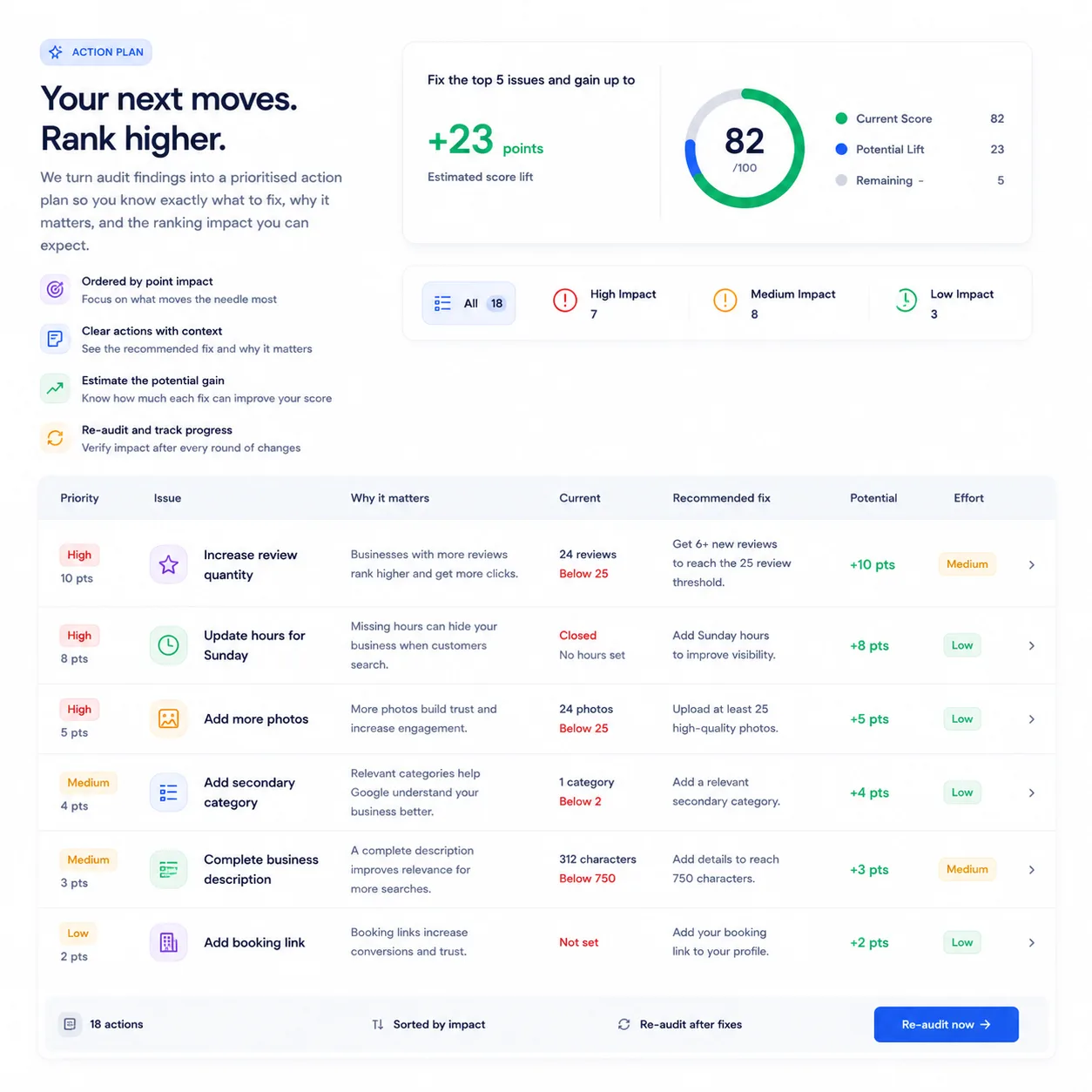
Prioritised action list
Every failing check is tagged high, medium, or low based on the points it would unlock. Fix the biggest levers first, not the cosmetic ones.
Description review
Your description is scored on locality signals, keyword fit, CTA, and tone — and a rewritten draft comes back ready to paste straight in.
Competitor benchmark
Each audit pulls the top competitors from your latest geo-grid scan and scores them on the same scale, so you see exactly where you're behind.
What we check
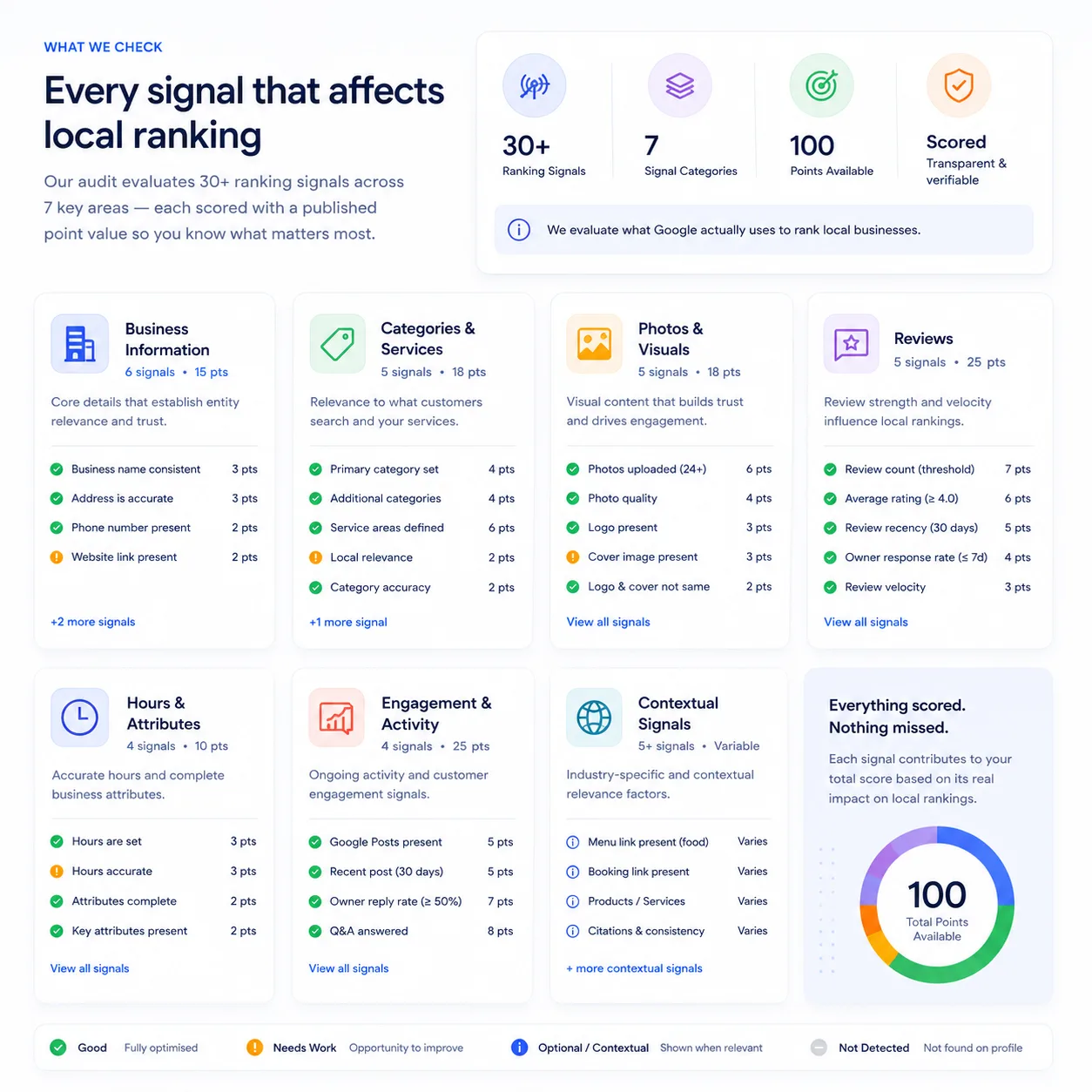
30+ ranking signals scored on every audit
Each audit grades your connected Google Business Profile against the signals Google uses to rank local listings, with a published point value attached to every check. Re-run the audit any time after a fix and the score recomputes from a fresh data pull, so progress shows up immediately.
- Profile basics: name, address, phone, website, claimed status, description length, booking link presence, and price level (32 pts)
- Categories and coverage: primary plus 1, 2, or 3+ secondary categories, and service areas defined for service-area businesses (18 pts)
- Visual presence: photo count thresholds (any / 10+ / 25+), logo, cover image, and a check that the logo and cover aren't the same image (18 pts)
- Reviews: count thresholds, average rating (must be 4.0 or higher), recency (review in the last 30 days), and median owner-response latency (7 days or less) (25 pts)
- Hours and attributes: opening-hours timetable populated, plus business attributes count (10 pts)
- Engagement: Google Posts present, recent post in the last 30 days, 50%+ owner reply rate on recent reviews, post-type variety, and all customer Q&A answered (25 pts)
- Contextual checks: for food businesses, menu link presence is added automatically based on your primary category
How it's scored
Open scoring you can verify, side-by-side with competitors
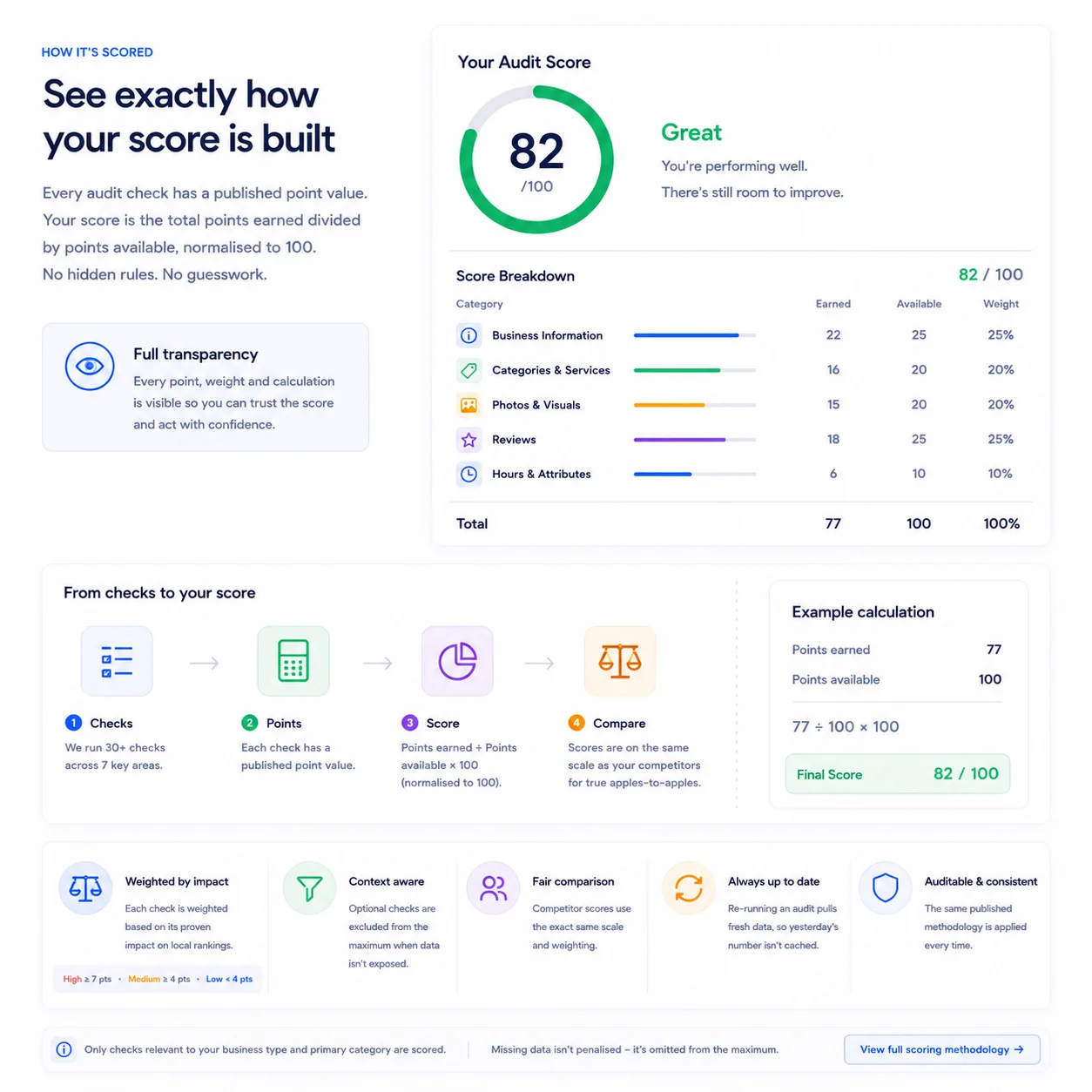
Every check shows its point value, and every audit shows its working. Your score is the points earned over the points available, normalised to 100. Optional checks drop out of the denominator when the underlying data isn't exposed, so missing fields never drag the number down artificially, and competitor scores use the exact same scale.
- Each check is tagged high, medium, or low priority based on the points at stake (high 7+, medium 4+, low under 4)
- Optional checks (response latency, Q&A answer rate, posts variety) are omitted from the maximum when data isn't available, keeping your score comparable run-to-run
- Competitor scores from your latest geo-grid scan land on the same scale, so a 'you 68 vs them 84' gap is a real apples-to-apples comparison
- Re-running an audit recomputes from a fresh data pull and a fresh review fetch, so yesterday's number isn't cached and any fix shows up the next time you run it
Built for action
Audit, post, and reply without leaving the dashboard
Connecting your GBP unlocks more than a report. The audit's prioritised action plan sits next to the tools you need to actually act on it: publish posts, reply to reviews with drafted suggestions, and rewrite your description in place. No bouncing between Google Business Profile, your CMS, and a spreadsheet.
- Failing checks group into one prioritised action plan, ordered by point impact, each with a 'Why it matters' explainer tied to the underlying ranking signal
- Reply Inbox surfaces unanswered Google reviews and drafts owner replies in your preferred tone, ready to edit and post through the official GBP API
- Posts (updates, offers, events) publish straight to Google on your schedule, with drafts on tap so the cadence doesn't fall on you
- Description review flags weak spots (no locality, soft CTA, under-using the 750-character allowance) and returns a rewritten draft you can paste straight in
Why on a cadence
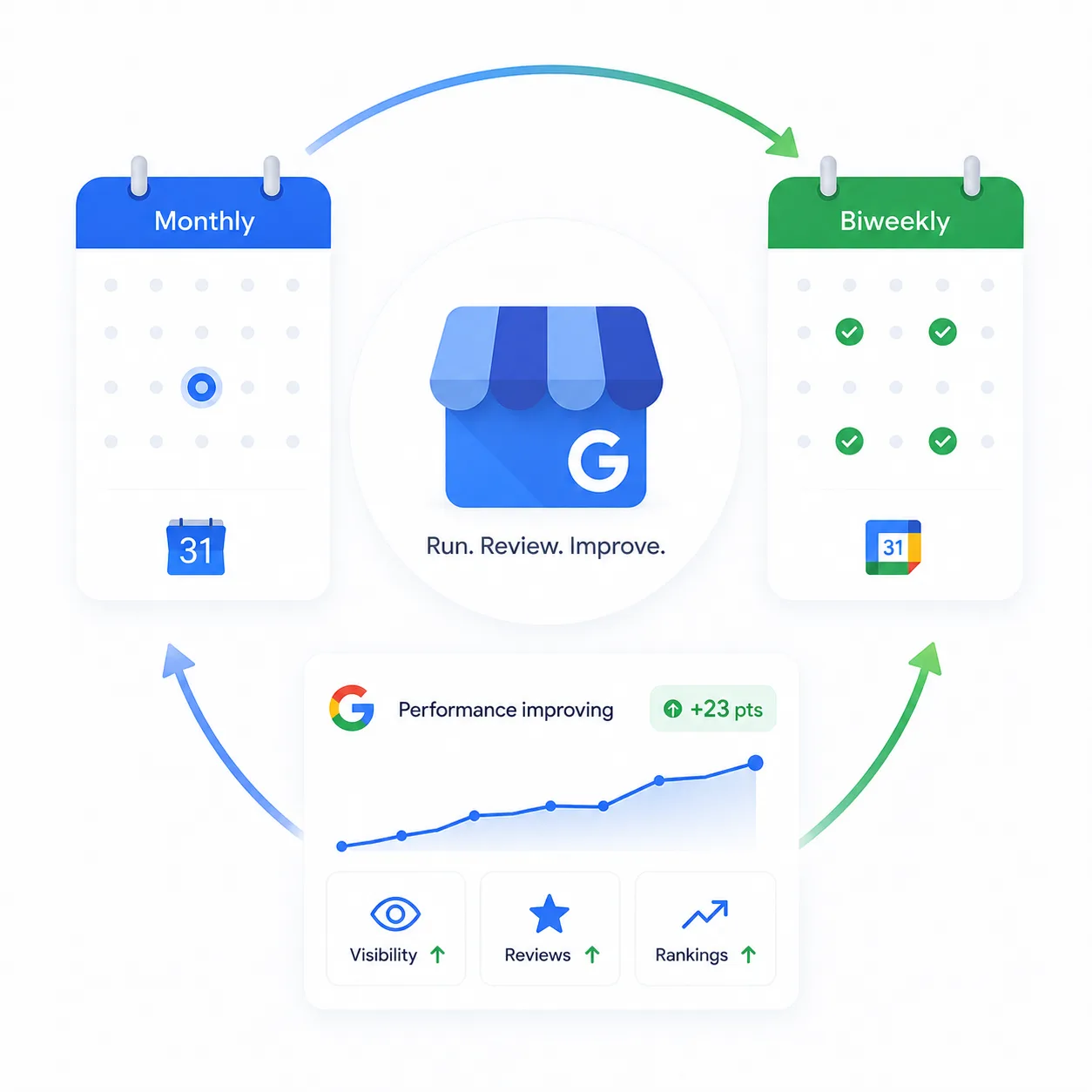
A monthly rhythm that compounds: audit, post, reply, measure
Google Business Profile isn't a set-and-forget surface. Signals roll in and out, competitors edit their listings, and freshness inputs (recent posts, recent reviews, recent photos) feed back into the prominence calculation. SearchOps puts the whole loop on a schedule so the work happens before you notice rankings slipping.
- Monthly audits catch silent field regressions (hours flipped, attributes dropped, category re-classified by Google) and confirm freshness signals are intact
- Biweekly suits competitive markets, multi-location brands, and anyone actively running posts, offers, or seasonal hours, matching the freshness window Google rewards
- Performance metrics (calls, website clicks, direction requests, searches) sync daily for every connected profile, so you can see the lag-adjusted result of each round of fixes
- Review checks run on a schedule so new reviews land in your Reply Inbox the same day, and the score trend across audits shows whether your work is paying off
How it works
Three steps from signup to insight
Pick a location
Select any location in your workspace. The audit uses the Google Place ID you already have on file.
Run the audit
30+ scored checks plus the description review run in under a minute. Score, action plan, and competitor benchmark land together.
Work the fix list
Tackle high-priority items first. Re-audit on a monthly or biweekly cadence to track progress and catch regressions early.
Credits
What an audit costs
GBP audits are included in your plan and don't use scan credits. Each plan comes with a monthly audit allowance shared across your locations, and every audit runs the full 30+ signal check, however complex the profile.
- Starter: 10 audits a month · Pro: 40 · Agency: 60
- Enterprise: sized to your contract
- Failed audits never count against your allowance
FAQ